Tutorial: your first affix#
In about twenty minutes you will invent a new weapon affix, of Cinders, and watch it set a creature on fire. Every step has a screenshot taken from the real game.
What you will build#
A sword that sometimes sets its target on fire. This is what it looks like in a fight:
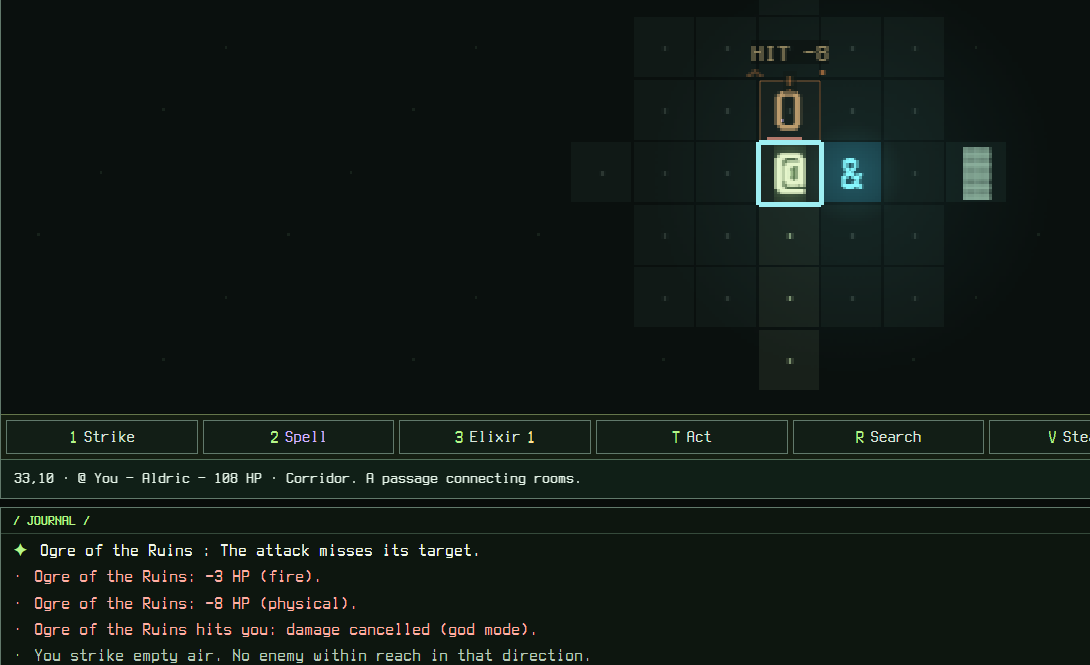
You will write four small pieces. An affix is a bonus an item can carry, such as "of Cinders". An affix effect is the behaviour behind a family of affixes. A reagent is the material that engraves an affix.
- Write the effect: what the affix does.
- Write the affix: the name players see and the items that can carry it.
- Link a reagent, so the affix can be engraved.
- Add the texts, so the game can display it.
- Start the game and get an item that carries it.
- Fight, then check the rule in the debug view.
- Break it on purpose, to learn how errors look.
Step 1: write the effect#
An effect is a listener: it waits for an event and then runs an action. Ours waits for hit.dealt (you landed a blow) and runs burn, which sets the target on fire. $value is the number carried by the affix, so a stronger affix burns harder. chance makes it work half of the time.
{
  "ignite": {
    "text": "AFFIX_EFFECT_IGNITE",
    "listeners": [
      {
        "id": "ignite-target",
        "on": "hit.dealt",
        "action": "burn",
        "params": { "turns": 3, "power": "$value" },
        "chance": 0.5
      }
    ]
  }
}
Add the entry next to the existing ones, such as fire and frost. The name ignite uses lowercase letters and dashes. The id lets the game remember the listener in saved games.
Step 2: write the affix#
The affix is what drops on items. family points at the effect you just wrote. tiers lists the strength ranges, weakest first: tier 3 gives a value of 2 or 3. weight and minLevel say how often and how deep it drops.
{
  "id": "of-cinders",
  "label": "AFFIX_NAME_OF_CINDERS",
  "position": "suffix",
  "family": "ignite",
  "kinds": ["weapon"],
  "tiers": [[1, 1], [1, 2], [2, 3], [3, 4]],
  "weight": 6,
  "minLevel": 1,
  "group": "ignite"
}
Add it to the end of the affixes list. "kinds": ["weapon"] means only weapons can carry it.
Step 3: link a reagent#
Players can engrave a known affix onto an item, and each effect needs exactly one reagent. Sulfur fits a fire effect, and the game already has it.
public/config/crafting.json → engrave.reagentByFamily{ "ignite": "sulfur" }Add the line "ignite": "sulfur" inside reagentByFamily.
Step 4: add the texts#
The game never writes text in the JSON rules: it uses keys. Add these two lines to all nine files of public/config/locales/, with the text translated if you can. {value} receives the number carried by the affix. These are lines to add, not a complete file, so the block is not checked.
"AFFIX_EFFECT_IGNITE": "Each hit has a 50% chance to burn the target: {value} damage a turn for 3 turns",
"AFFIX_NAME_OF_CINDERS": "of Cinders",Step 5: start the game and get the item#
Run npm run dev, open the page it prints and start a new run. Click Debug at the top, then the Equipment tab. The generator builds any item you like. Set Quality to Rare (tier 3 needs it), Family to Magic, then scroll the affix list to the bottom.
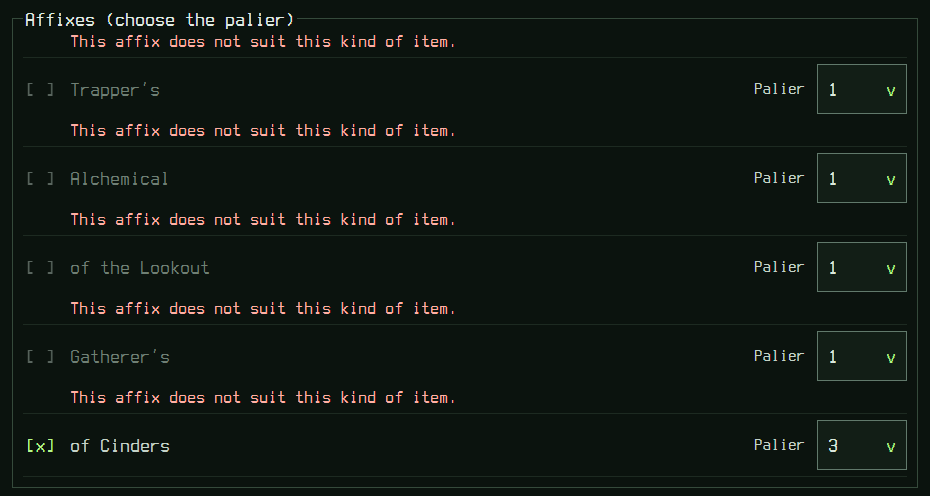
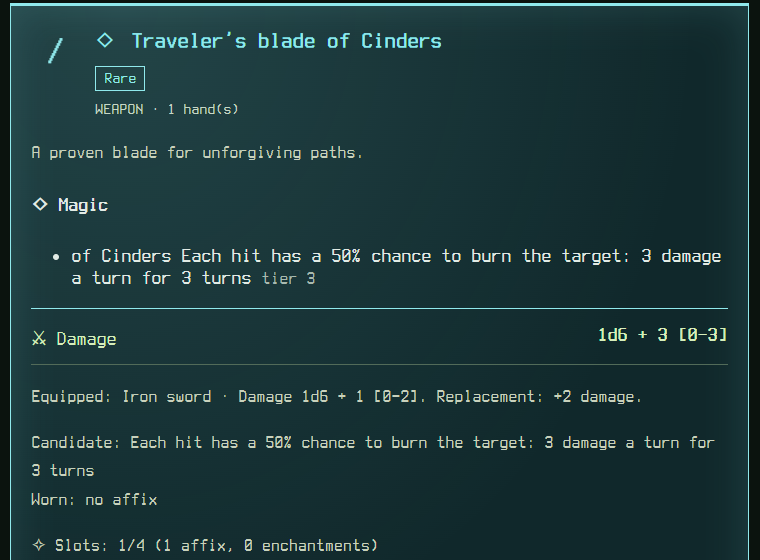
Press Generate an item, leave the debug view with Esc, open the inventory with I, filter on Weapons, select the new blade and press Equip.
Step 6: see it work in a fight#
Back in the debug view, open Actions. Tick god mode so that nothing can hurt you, then create one Ogre of level 10 around you. Leave the debug view and strike it: press 1, a direction, then Enter. Repeat until the journal shows a line ending in (fire), since only half of the blows burn.
Then press O to examine the creature. The status line names the fire.
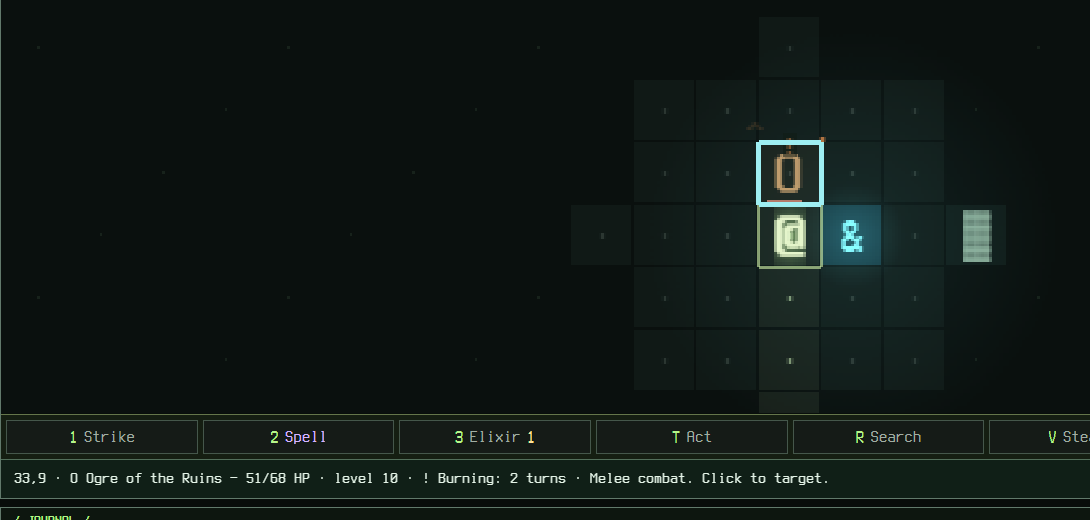
params.Each blow has a one in two chance to set the target on fire for 3 turns. The fire deals 3 damage a turn: the value of the affix.
Step 7: check it in the debug rules view#
Go back to the debug Equipment tab and scroll down to Rules engine (read only). It lists every rule that your equipment gives you. Your listener appears under Affixes.

When a mod seems to do nothing, come here first. A missing line means the rule never reached the engine, usually because the item does not carry the affix.
Step 8: break it on purpose#
Now make the typical mistake. In step 1, misspell the event by one letter. This line is a deliberately wrong fragment, so the block is not checked.
public/config/equipment.json → affixEffects.ignite.listeners"on": "hit.dealtt",Reload the game. It refuses to start and names the exact place of the fault.
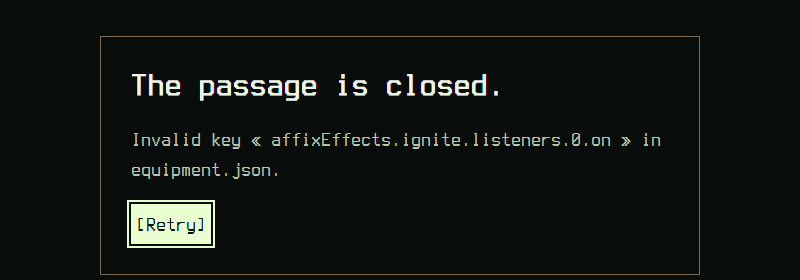
Fix the spelling back to hit.dealt and press Retry. Every event and action name is in the catalogue, so you can copy it. Troubleshooting lists the other messages.
Recap#
- An affix needs three linked pieces of JSON: an effect, an affix of its family, and a reagent for the family.
- Rules go in JSON, texts go in nine locale files, and they are linked by keys.
- A listener has an
onevent, anaction, optionalchanceandcooldown, and may read$value. - The debug generator makes any item, and the rules view shows what the engine received.
- A bad name stops the game with a path to the fault.
Where to go next#
- Cookbook
More recipes: thorns, last breath, set bonuses.
- Items and affixes
Tiers, synergies, sets and enchantments in full.
- Reference catalogue
Every event, condition and action you can use.